Use cases
Use cases and test data of unsuccessful card payments
In the Sandbox, you should be able to test different unsuccessful card payments scenarios. You just need to set the correct collection amount.
Review of test data
Test data for collection amount and description of unsuccessful card payments.
| Collection amount | Description |
|---|---|
| 9003.13 | Invalid amount |
| 9003.43 | Card stolen |
| 9003.54 | Card expired |
| 9003.59 | Possible fraud |
| 9003.61 | Insufficient funds |
Test data - Swedbank
| Card number | Expiry | CVC |
|---|---|---|
| 5226600159865967 | After the current month | Any |
Use case scenario example
Invalid amount
| Collection amount | Description |
|---|---|
| 9003.13 | Invalid amount |
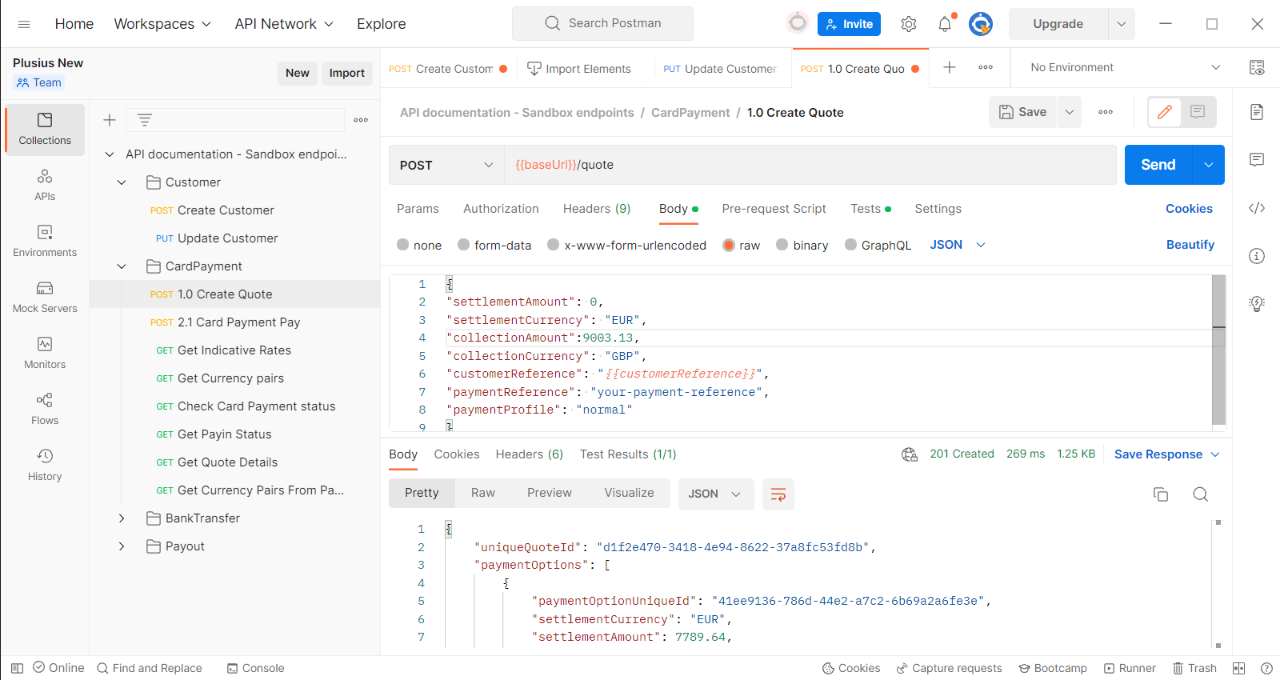
In this case, under the Create Quote for collectionAmount you need to enter the 9003.13 amount and send the request.
{
"settlementAmount": 0,
"settlementCurrency": "EUR",
"collectionAmount": 9003.13,
"collectionCurrency": "GBP",
"customerReference": "{{customerReference}}",
"paymentReference": "your-payment-reference",
"paymentProfile": "normal"
}
Under the Card Payment Payout, you just need to send the request as uniqueQuoteId and paymentOptionId are already set.
In the response, you will get an URL to the website which will be used for redirection to card payment.
Enter card details - card number, date, and CVV code.
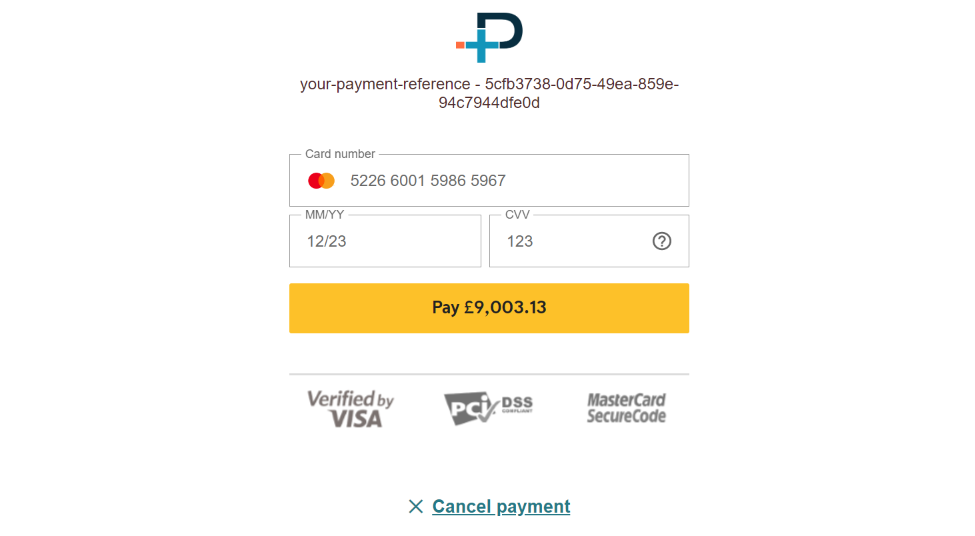
Our system recognizes collection amount 9003.13 as an invalid amount, and the payment will fail.
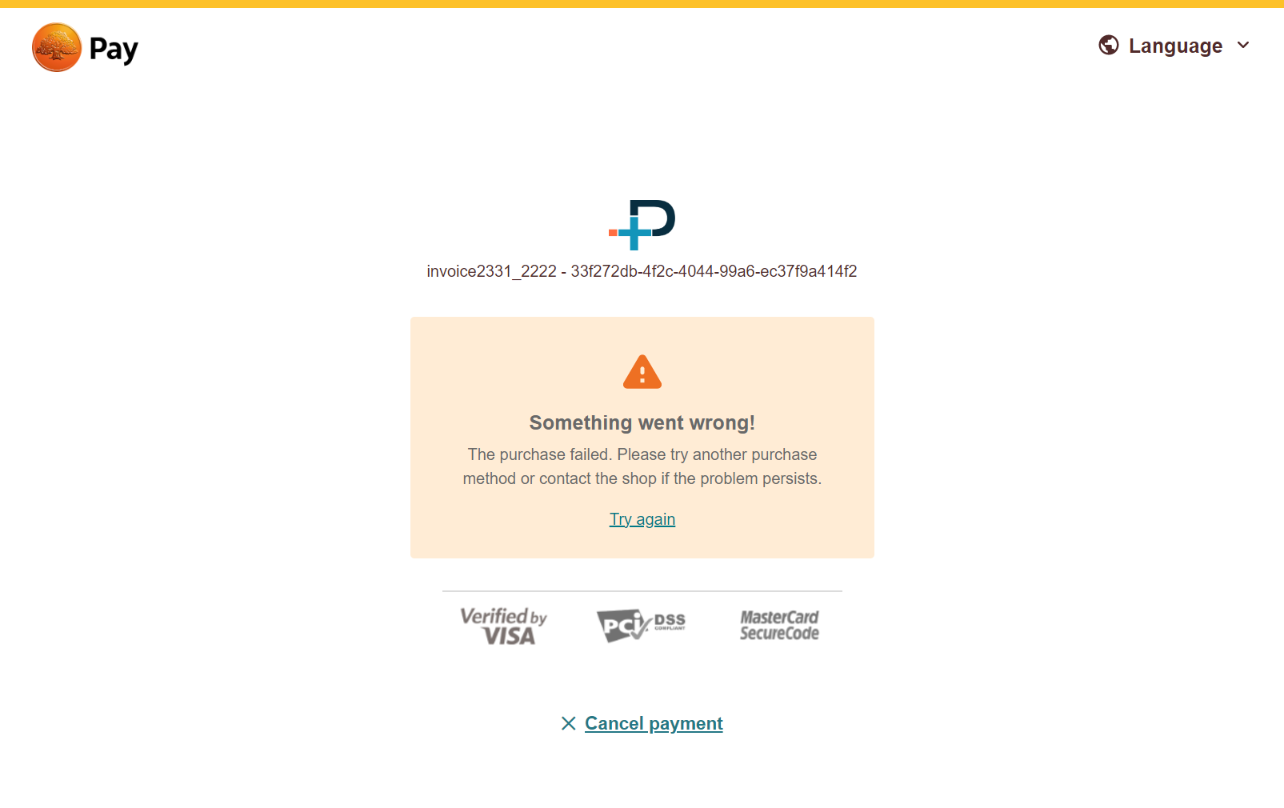
If you try to send it three more times, you will get a response "Payment for the Quote - 5cfb3738-0d75-49ea-859e-94c7944dfe0d has already been Failed".
{
    "httpStatusCode": 400,
    "success": false,
    "errors": [
        {
            "message": "Payment for the Quote - 5cfb3738-0d75-49ea-859e-94c7944dfe0d has already been Failed"
        }
    ]
}
Send a request for Check Card Payment Status to see the status of your payment Quote.
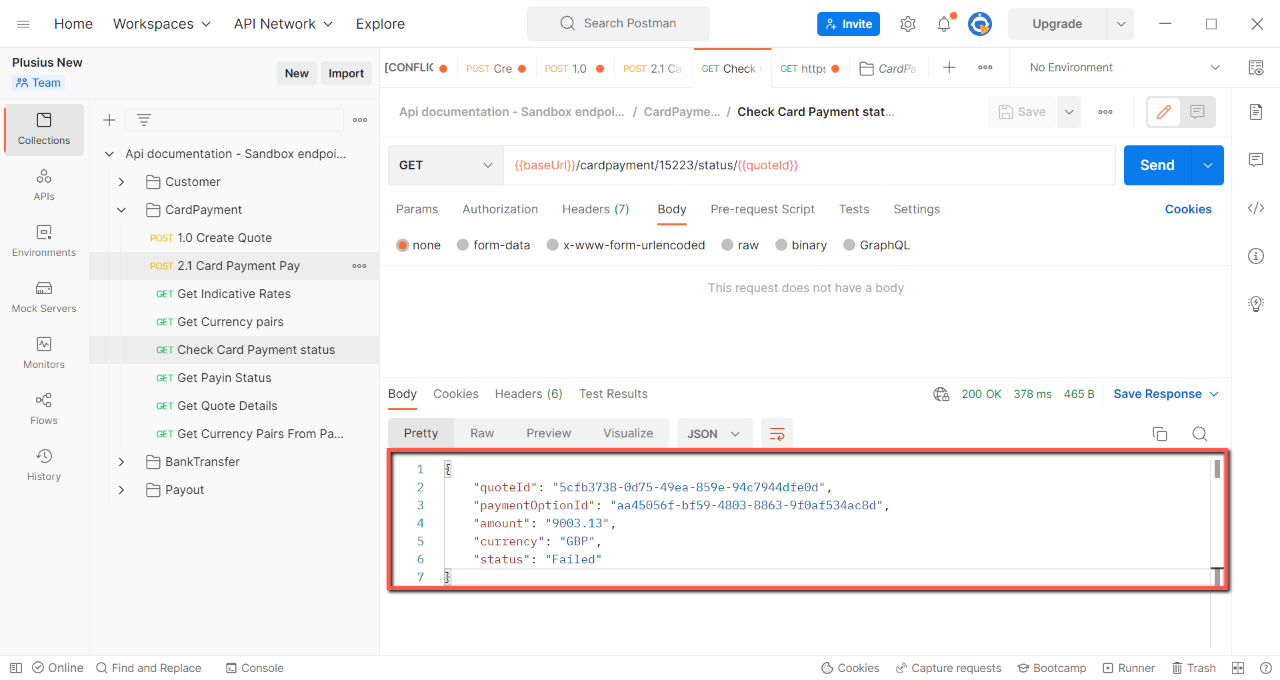
For more details about the failure reasons, please contact our Support Team.
You can use data from the Review of test data table above for testing the rest of the use cases of unsuccessful payments.